PSA | Pokémon and Sports Cards
- 4.7
- Rating
- 1.00M
- Installs
- Free
- Price

 Analysis by App-foxy
If you collect Pokémon or sports cards at home, PSA | Pokémon and Sports Cards is the kind of app that can turn a casual pile into a more organized hobby. I found it most useful when I wanted a quick reference point for a card without opening several browser tabs or relying entirely on memory. It is a free Books & Reference app from Professional Sports Authenticator, built around the practical steps collectors care about: identifying a card, checking its price, understanding grading, and keeping track of a collection.
The app is not a complete replacement for careful research, especially when a card is valuable or its condition is difficult to judge. Still, it has a clear purpose and feels more focused than a general marketplace app. Its store summary, “Scan. Price. Grade. Collect.”, describes the workflow neatly, but using it in a shared household adds another question: who is using it, what information are they recording, and how do different collectors avoid mixing their cards together?
How PSA works when several people share a card collection
In a household, the most natural use is a shared-device routine. One person may bring home a new Pokémon card, another may collect sports cards, and a parent or older sibling may want to check whether an item deserves closer attention. Instead of passing around a binder and searching manually, the app gives everyone a common place to begin. I like that this makes card conversations more concrete: you can look at the same item, compare what the app shows, and then decide whether it belongs in a collection, a trade pile, or a grading review.
You May Also Like

 Blood Strike: 2.5 Anniversary
Blood Strike’s Loadouts Turn Every Drop Into a Tactical Gamble
A close look at Blood Strike’s custom loadouts: how fast access to signature weapons reshapes its battle royale rhythm, rewards preparation, and narrows the gap between fights.

 Pandora - Music & Podcasts
Pandora’s Music Is Easy to Start, but Harder to Recover
Pandora’s strength is its low-effort path from a seed to a station. Its weak spot is how much confidence it asks you to place in connection, setup, and quiet recovery.

 8 Ball Pool
 Is Built on Rivalries, Rematches, and Routine
A close look at the rivalries, rematches, shared routines, and unanswered safety questions that turn a quick pool match into a persistent mobile community.

 Samsung Music
’s Quiet Strength Is Playing What You Already Own
Its reach comes less from spectacle than from dependable access to a personal library. That simplicity is both the app’s strongest retention engine and its ceiling.

 AccuWeather: Weather Radar
AccuWeather Review: A Quick, Clear Forecast for Everyday Decisions
For everyday plans, the best forecast is the one you can understand quickly. AccuWeather makes rain timing, radar, and local conditions easy to act on, with a few trade-offs.

 Hill Climb Racing
Why Hill Climb Racing Still Turns Crashes Into One More Run
A tiny car, a bumpy hill and one more upgrade: Hill Climb Racing keeps resurfacing because its simple chaos makes every near-miss feel personal.
More From Our News Desk



The important distinction is that the app is a reference and collection tool, not a substitute for ownership records. If several people use one phone, I would establish a simple household rule before scanning anything: say whose card it is, and keep that information in a separate note or physical label if the app does not make the ownership boundary obvious. This avoids a surprisingly common problem with shared hobbies, where a family collection slowly becomes one indistinguishable inventory.
A realistic example is a weekend sorting session. A child opens a box of Pokémon cards while a parent checks sports cards from an older collection. The child can use the visual lookup as a starting point, while the parent checks the card’s reference information and condition separately. The app helps both users move faster, but the family still needs to agree on what counts as a personal collection, what may be traded, and who can make a grading decision.
That shared-device angle also affects privacy and trust. I would not treat a scan as proof that a card belongs to the person holding it, and I would not assume that a value shown in the app is an instruction to sell. Younger collectors can easily read a price as a guaranteed payout, while experienced collectors know that condition, demand, authenticity, and the selling venue can change the result. The app is helpful for starting a conversation, but adults should explain the difference between an estimate and money actually received.
What the scanning workflow is good at
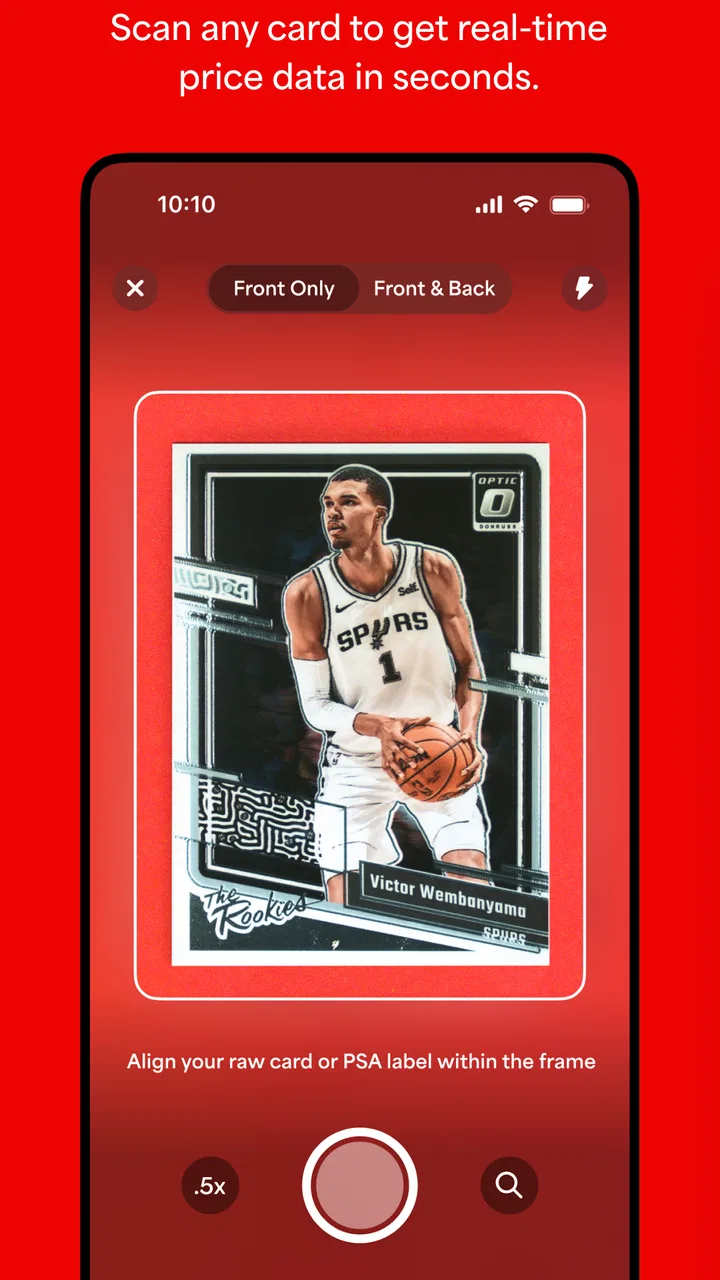
The scanning feature is the most immediately useful part for a mixed household collection. Rather than typing every detail, you can point the camera at a card and use the result to narrow down what you are holding. This is especially convenient when a card has a long set name, a complicated player name, or a design that is easy to confuse with a similar release.
I would still slow down after the scan succeeds. A visual match can be a starting point rather than a final identification. Pokémon cards may have similar artwork across different sets, and sports cards can vary by year, parallel, variation, or release. Before putting a value beside a card, compare the visible details on the physical card with the result. Check the player or character, set information, card number, team or series details, and any obvious variation markers.
This is one of the app’s less obvious strengths: it can reduce the boring part of sorting without removing the collector’s judgment. I would scan in batches, but I would verify the unusual cards individually. Common cards can move quickly through the process; rare-looking, older, or confusing cards deserve a second look. That approach is faster than treating every card as equally difficult, and safer than accepting every scan automatically.
Lighting and presentation matter too. A clean, flat card under even light is easier to inspect than one inside a sleeve, under glare, or partly covered by a binder page. If a scan struggles, I would remove visual obstacles where appropriate, straighten the card, and try again rather than repeatedly waving the camera over it. The app can help identify cards, but it cannot make a damaged or obscured card easier to read.
Using price information without overestimating a card
The price side is useful for prioritizing attention. When I sort a large group, a price reference helps me decide which cards deserve a closer condition check and which can simply be catalogued. It is also convenient when a family member asks whether a card is worth protecting, trading, or discussing with a specialist.
The trade-off is that a displayed price should not be treated as a guaranteed offer. Card values move, and the condition of the exact copy in your hand can make a major difference. A card with whitening on the edges, surface scratches, centering issues, dents, or print defects may not compare with a clean example. For sports cards, player interest and release variation can also affect how useful a general reference figure is. I use the app’s price information as a sorting signal, not as the final word.
A practical household workflow is to create three informal groups after scanning: cards for ordinary storage, cards worth checking more carefully, and cards that might justify professional advice. The app is particularly helpful in the middle group. It can stop you from spending time on every common card while reminding you not to overlook an item that deserves protection. What it cannot do is inspect every physical detail with the care of a human grader.
If a child is using the app, this distinction is worth explaining clearly. “The app shows a reference price” is safer than “this card is worth that amount.” I would also avoid letting a young collector make an immediate trade based only on a scan. A short pause to check the card, compare the result, and talk with a trusted adult can prevent disappointment.
Grading guidance and the limits of a phone screen
The grading section is valuable because grading is one of the areas where new collectors often need the most context. The app can help users understand why condition matters and why a card’s value is not determined only by its character, player, or age. That makes it useful for learning, particularly when someone in the household is moving from casual collecting toward more deliberate preservation.
My main caution is simple: a phone app cannot replace the judgment involved in professional grading. A camera may show obvious wear, but subtle surface problems, centering, corners, edges, and print issues can be difficult to assess consistently on a small screen. I would use the app to prepare a card for consideration, not to promise a grade before submission or professional review.
One helpful habit is to inspect a card before placing it in a protective holder, then inspect it again under different light. Keep the card clean and handle it by the edges. Do not press on a corner or try to “fix” a surface mark. If a card belongs to a child, make the preservation routine part of the hobby rather than presenting it as a punishment for careless handling. That creates a better boundary between enjoyment and value protection.
Grading also creates a household decision that the app cannot settle for you: is the cost and effort worthwhile for this particular card? A family may decide to preserve a card because it has sentimental value even if its market price is modest. Another card may look valuable but be too uncertain to justify immediate action. The app helps frame the decision, while the owner’s goals should determine it.
Keeping collections separate on a shared device
Collection organization is where shared use can become either very convenient or confusing. If several people scan cards into the same device, I recommend agreeing on labels before the collection grows. Use a consistent naming habit in any available notes or household record, such as the person’s name, card type, and storage location. Even a simple written inventory beside the binder can prevent arguments later.
This is especially important when Pokémon and sports cards live in the same home. The categories are different enough that one person may focus on set completion while another cares about players, teams, or condition. A shared scan history can be useful for family reference, but it should not be mistaken for a legal or financial ownership ledger. Decide who can edit, remove, trade, or submit a card before those actions become urgent.
I also prefer scanning one person’s cards in a dedicated session instead of mixing everyone’s cards together. Finish one binder or box, review the results, and then move to the next person’s items. This reduces duplicate work and makes it easier to spot a mistaken identification. It also gives younger collectors a sense that their collection is being respected rather than absorbed into an adult’s inventory.
Another practical tip is to photograph or record unusual cards outside the app as a backup reference. I would note where the physical card is stored, especially if the app is being used on a family tablet or a phone that several people share. The app can make discovery and organization easier, but physical cards still need a reliable storage system that everyone understands.
Setup boundaries for children, teens, and adults
The Everyone content rating makes the app approachable for a broad audience, and the subject naturally suits families who collect together. That does not mean every part of the hobby should be left without adult guidance. A younger user may understand scanning quickly but not the implications of prices, trades, selling, or submitting a card for grading.
Before handing over a shared device, I would set a few plain-language boundaries. The child can scan and learn, but should ask before trading or selling. No one should share personal details with another collector just because a card looks valuable. Expensive decisions should be discussed with the owner, and a scan result should be checked against the physical card before anyone acts on it.
These are household agreements rather than app features, and that distinction matters. I would not assume the application itself can manage family roles or separate every person’s activity. If account access or collection history matters to your family, decide who uses the device and how records are maintained before you begin. The app works best when the family’s own boundaries provide the structure around it.
For teenagers and adult collectors, the app is easier to use independently, but the same caution about value applies. A high reference figure can create pressure to sell quickly, while a low figure can cause someone to overlook sentimental importance. I like the app more when it supports a deliberate decision than when it becomes the sole authority in a negotiation.
How it compares with browser searches and marketplace apps
The usual alternative is a web search. Browsers are better when you need broad context, recent discussions, detailed set checklists, or several independent opinions. They are also useful when the card is unusual and the first visual match needs verification. The downside is that searching manually can be slow, and results may mix different versions of what appears to be the same card.
Marketplace apps serve a different purpose. They can show what sellers are asking or what buyers may be considering, but they are often built around transactions rather than careful collection organization. I prefer PSA for the first pass because its focus is closer to identification, pricing reference, grading awareness, and collecting. I would move to a marketplace only after confirming the card and deciding that buying or selling is actually the goal.
A spreadsheet or notebook remains better for detailed household ownership records. If you want columns for purchase history, storage box, trade status, sentimental notes, and who may access a card, a dedicated inventory system gives you more control. The app is quicker for discovery and reference, while a manual record can be more flexible for family coordination.
In practice, I would combine them rather than choose only one. Scan to speed up identification, verify unusual results through broader research, and maintain a simple household record for ownership and storage. That three-step approach uses the app where it is strongest without asking it to solve every organizational problem.
Performance, access, and everyday practicality
The app has been available since June 2015 and is currently at version 7.8.3, with support beginning at Android 8.0. That makes the compatibility detail worth checking before installing it on an older shared phone or tablet. A family device that runs an older operating system may need attention before the app becomes part of a regular sorting routine.
It is free to install, which lowers the barrier for a household that is only beginning to explore card collecting. The app has reached over 500 thousand installs and holds a 4.5 average from around 5.9 thousand ratings, suggesting that many collectors find the basic concept useful. I see those figures as a reason to try it, not as proof that every scan or price reference will fit every card perfectly.
The developer, Professional Sports Authenticator, gives the app a clear connection to the grading side of the hobby. That is reassuring for users who want a more focused card reference than a generic camera search. At the same time, the app’s focus may feel narrow if your main interest is trading with friends, managing a large family inventory, or researching obscure releases in depth.
On a shared device, the practical experience depends heavily on how disciplined the users are. If everyone scans randomly and leaves cards in mixed piles, the app cannot prevent the resulting confusion. If the family agrees on a workflow, it becomes a useful front door to the collection: identify first, inspect second, record ownership, and only then decide what happens next.
Who should use it and who should choose another tool
I would recommend it to Pokémon and sports card collectors who want a fast way to begin identifying cards, checking reference prices, learning about grading, and organizing a collection. It is particularly suitable for a household that is building a hobby together and wants a shared starting point for conversations. Beginners can learn the vocabulary and workflow, while more experienced collectors can save time during the first sorting pass.
I would be more cautious about recommending it as the only tool for high-value collections. Serious buyers and sellers should verify important cards through additional research and inspect the physical item carefully. Families that need strict ownership separation, detailed financial records, or a fully customizable inventory may prefer a spreadsheet or specialist collection database alongside it.
It may also be the wrong choice for someone who does not want to use a camera-based workflow or who mainly needs a social trading platform. The app is strongest when you already have cards in front of you and want help moving from uncertainty to an organized next step. It is less compelling if your main activity is browsing listings, chatting with other collectors, or managing transactions.
My household verdict
I came away seeing PSA as a useful companion for shared card collecting rather than a complete collection-management solution. Its scanning and reference approach makes the first stage of sorting much faster, and its grading focus encourages better care of cards that might deserve attention. The free price also makes it easy for a family to test the workflow without committing to a paid system.
The best results come from pairing the app with clear household rules. Keep each person’s cards identifiable, explain that prices are references rather than guarantees, and require a second check before trading, selling, or grading. Those small habits address the main weaknesses that appear when several people use one device.
For me, the strongest reason to keep it installed is not that it removes every uncertainty. It gives a family a practical starting point and helps turn a messy pile of cards into a more thoughtful review process. Use it to identify, prioritize, and learn; use your own judgment to decide what a card means and what should happen to it. That balance makes it a worthwhile choice for shared Pokémon and sports card collecting, while experienced collectors should still bring in broader research and a separate ownership record when the stakes are higher.
FAQs for PSA | Pokémon and Sports Cards
01What platforms is PSA | Pokémon and Sports Cards available on?
PSA | Pokémon and Sports Cards is available on both Android and iOS platforms. Users can download it from the Google Play Store for Android devices and the Apple App Store for iOS devices. Ensure your device meets the minimum system requirements for a smooth experience.
02How does the app assist in card grading?
The app provides users with a comprehensive guide on grading their Pokémon and sports cards. It includes detailed information on grading criteria, tips for maintaining card quality, and even a tool for connecting with professional grading services. This helps collectors to maximize the value of their collections.
03Can I use the app to estimate the value of my card collection?
Yes, the app features a valuation tool that allows users to estimate the market value of their Pokémon and sports cards. By entering specific card details, users receive current market pricing based on recent sales data, helping them make informed decisions about buying, selling, or trading cards.
04Does the app offer a community feature for collectors?
PSA | Pokémon and Sports Cards includes a community feature where users can connect with other collectors. They can share experiences, discuss trends, and trade cards within a secure and moderated environment, enhancing the overall collecting experience by fostering a sense of community.
05Are there any subscription fees or in-app purchases?
The app is free to download, but it offers in-app purchases for premium features. These may include advanced valuation tools, exclusive content, or enhanced grading service connections. Users should review these options to decide if the additional tools align with their collecting needs.
Pros
- User-friendly interface for easy navigation.
- Comprehensive database of card collections.
- Regular updates with new card releases.
- Integrated price tracker for card values.
- Community features for trading and discussions.
Cons
- Requires internet connection for full functionality.
- Some features locked behind a paywall.
- Occasional ads can interrupt user experience.
- Limited offline capabilities for card management.
- Initial setup can be time-consuming.

PSA | Pokémon and Sports Cards
Gallery